
Live streaming is no longer reserved for TV channels. It has become an essential tool for companies, creators and trainers. But where to start? This guide explains everything from A to Z.
1.What is live streaming?
Live streaming consists of broadcasting video and sound in real time on the internet. Unlike a recorded video (VOD) that you edit and publish later, live is an instant and interactive experience. It's the modern version of TV 'live', accessible to everyone.
2.Why go live? (The benefits)
Live offers a unique dimension: authenticity and interaction.
Interaction
Answer your audience's questions in real time (chat).
Engagement
A live creates an appointment: viewers stay to ask questions and follow the conversation.
Transparency
No editing, no tricks. This builds strong trust with your audience.
3.The different types of live formats
- The Webinar: educational or commercial presentation (often on Zoom/Teams).
- The Interview / Talk-show: discussions between experts.
- The Q&A (Questions/Answers): direct exchange session with the community.
- The Hybrid event: broadcasting a physical conference for those who can't attend in person.
4.What equipment to start with?
You can stream with a simple smartphone, but for a professional result you need to upgrade:
Level 1 (Smartphone)
Simple, fast, but limited quality (sound and image).
Level 2 (Webcam + USB Mic)
The standard for remote work or small streamers.
Level 3 (Pro Studio)
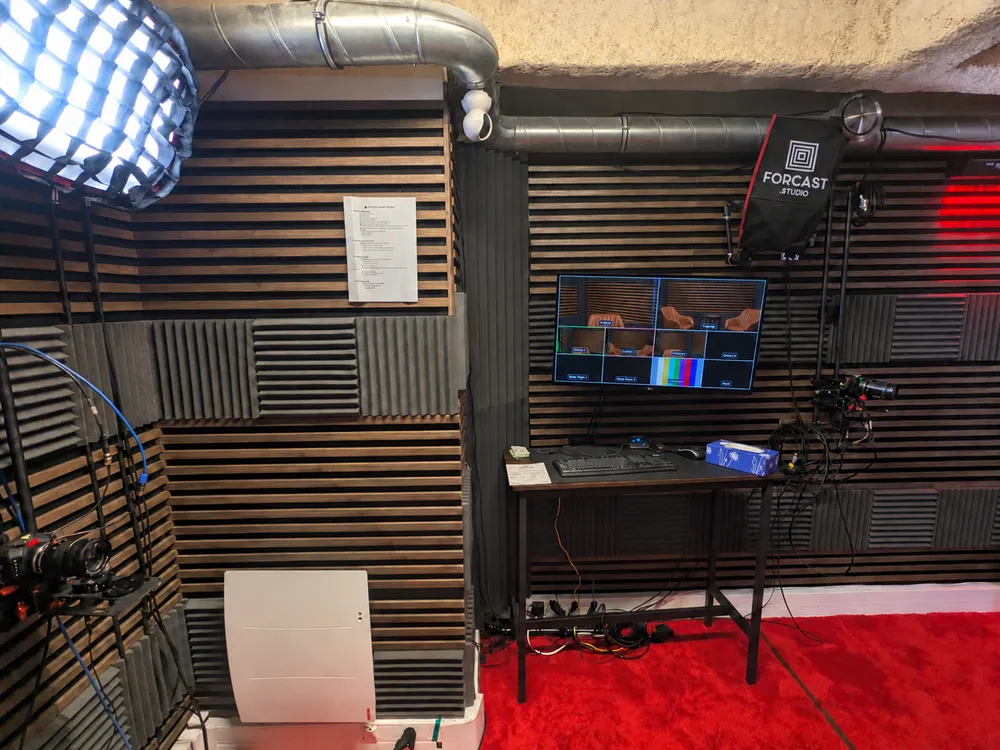
4K cameras, broadcast microphones, well-crafted lighting and video control room. That's what ForCast.studio offers.
5.Streaming software (The encoder)
To send your video on the internet, you need encoding software. The best known are OBS Studio (free and powerful), vMix (paid, very pro) or StreamYard (simple, browser-based). At the studio, the control room handles encoding and RTMP delivery to the platforms over an 800 Mbps fiber line.
6.Where to broadcast? (The platforms)
- YouTube: The king of video, ideal for SEO and 4K quality.
- LinkedIn Live: Essential for B2B and professional content.
- Twitch: For interaction, gaming and casual talk-shows.
- Instagram/TikTok: For vertical format and young audience.
- Facebook: Still powerful for general public communities.
7.Mistakes to avoid
- Neglecting sound: Bad image is forgivable, bad sound makes everyone leave.
- Forgetting interaction: If you don't talk to chat, you might as well do a recorded video.
- Unstable internet connection: Wi-Fi is the streamer's enemy. Always use an Ethernet cable (or the studio's dedicated fiber).
8.Why rent a studio like ForCast?
Streaming from home requires space, expensive equipment and technical skills (lighting, sound, network, OBS...). In a studio, you just walk in. The light is set, the sound is clean, the set is ready, and a technician handles the stream. You only think about your content. For an important event, that removes a lot of technical risk.
FAQ
Is the replay available right away?
On most platforms (YouTube, LinkedIn...), the replay is automatically available a few minutes after the end of the live, at the same link.
Book online, from €89 incl. VAT per hour.