
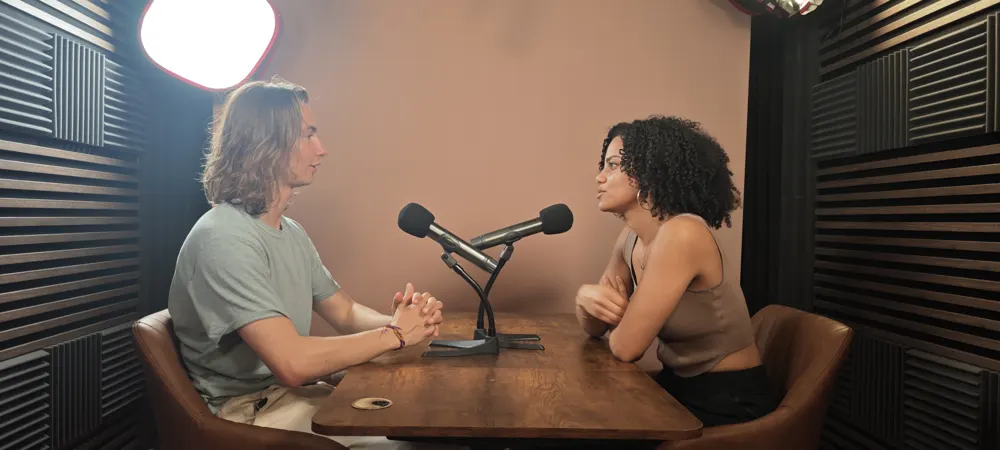
A video podcast is more than a simple filmed audio recording: it's a fully-fledged format that requires precise choices about concept, staging, sound, pacing and distribution. This practical guide helps you start off on the right foot and avoid common mistakes to create content that captures the audience.
1.Why launch a video podcast?
Audio is powerful, but video is viral. Adding image to your podcast lets you embody your message, create a visual connection with the audience, and most importantly take advantage of the power of YouTube, TikTok, Instagram and LinkedIn algorithms which massively favor video (Shorts, Reels). It's an effective way to get your audio content discovered.
2.Define a clear concept before filming
Even before thinking about cameras, think about format. What is your angle?
The Talk-Show
Multiple hosts debate around a table. Dynamic but requires good moderation.
The Interview
A host receives an expert. The most common format, which relies on the quality of the guest and the exchange.
The Solo
Direct to camera, to teach or share expertise. Requires great speaking ease.
3.Image — framing, cameras and staging
The image must be clean, but above all serve the message. In a professional studio, multi-camera (typically 3 angles) is preferred to liven up the exchange: a wide shot to set the scene, and close-ups on each speaker to capture emotions. Lighting is crucial: it must sculpt faces and detach them from the background.
4.Sound — absolute priority
Average image can be forgiven, never bad sound. In video podcasts, the audience must be able to listen without watching. Use broadcast-quality microphones (like the Shure SM7B, the reference) and treat the room's acoustics to avoid reverberation. A 'tin can' sound will make the audience leave in seconds.
5.Recording and workflow
The mistake is to underestimate post-production. Filming in 4K multi-camera generates heavy files. An efficient workflow (or studio recording with live editing) saves hours: automatic synchronization, real-time mixing, and exports optimized for each platform.
6.Post-production and derivatives
Your long episode (20-60 min) is your 'pillar content'. But to make it known, you have to chop it up. Plan from the shoot for highlights (punchlines) easy to isolate to make Reels, TikToks or YouTube Shorts. These short clips will generate buzz and bring traffic to the full episode.
7.Common mistakes to avoid
- Looking at the camera when speaking to a guest (except in solo format).
- Neglecting branding (intro, outro, jingles) which provides professional identity.
- Forgetting to check sound before recording 1h of interview.
- Trying to do it all alone (technical + hosting), which harms the quality of the exchange.
8.The right method to launch a video podcast today
Don't seek technical perfection right from the start if you're alone, but be uncompromising on sound. If you have budget, rent a studio: you arrive, you record, you leave with the files. This frees your mind to focus on substance: your questions, your guest, your energy.
Planning video content beyond the podcast itself? This breakdown of startup launch video costs covers everything from DIY to agency budgets.
9.Why record your video podcast in studio?
The studio offers a 'turnkey' setting. No cables to plug in, no lighting to adjust, no forgotten memory card. At ForCast, an on-site technician handles the technical side. You benefit from a polished set, professional equipment (3 4K cameras, ATEM control room, broadcast microphones), and a comfort that puts your guests at ease for authentic exchanges.
10.ForCast.studio's position
We believe technique should never be a brake on creativity. Our mission is to provide creators and companies with a reliable and simple technical environment, so you can stay focused on the content. Duplex, multi-camera, live streaming: everything is possible, simply.
FAQ
Can I film my existing audio podcast?
Yes, it's the best transition. Start by filming your usual recordings, even simply, to get your audience used to it.
Book online, from €89 incl. VAT per hour.