
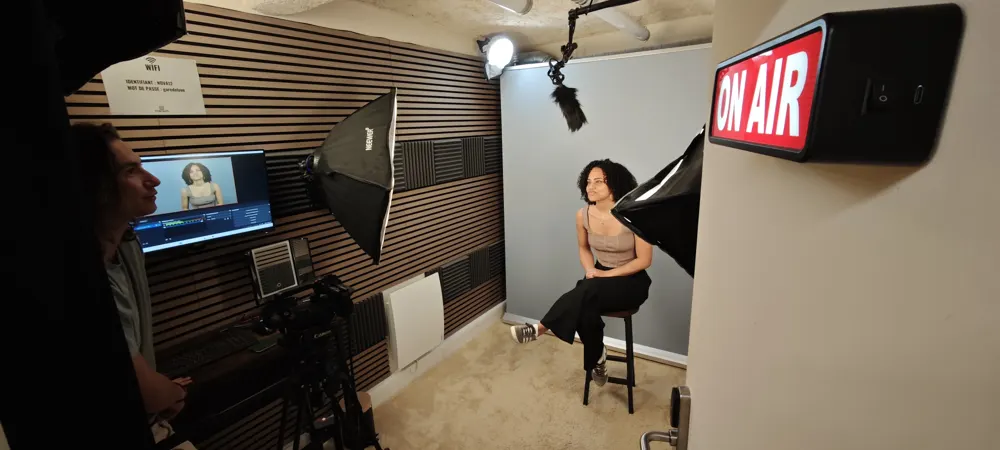
Webinar, webcast, live, video conference... These terms are often used interchangeably, but they refer to very different technical realities and goals. To avoid choosing the wrong format (and budget), here is the definitive guide to clarify everything.
1.Simple definitions
Let's start by defining each term to remove any ambiguity.
Video Conference (Meeting)
It's a virtual meeting where everyone can speak and turn on their camera (Zoom, Teams). It's collaborative, informal and limited in technical quality.
The Webinar
Contraction of 'Web' and 'Seminar'. It's an online course or presentation. There are 'panelists' who speak and an audience that listens (and asks questions via chat). The audience generally has no microphone/camera.
The Webcast (or Live Streaming)
It's television broadcast on the internet. The quality is very high (TV set, multi-camera), the audience is wide (unlimited) and the production is professional. It's massive 'One-to-Many'.
2.Which format for which goal?
- If you want to brainstorm with your team: Video Conference.
- If you want to train 50 people and answer questions: Webinar.
- If you want to launch a product, make an official announcement or a brand show: Webcast / Live Streaming in studio.
3.Why studio quality changes everything
- Capturing attention: A TV image, shot changes and perfect sound keep the viewer awake.
- Lending credibility to the message: Form enhances substance. A pro production gives authority to your speech.
- Securing the technical side: In studio, the connection is wired and a technician handles unexpected issues. You don't risk a wifi cut during a live.
4.The platforms
Each format has its preferred tools.
For Video Conferencing
Zoom Meetings, Microsoft Teams, Google Meet.
For Webinar
Zoom Webinar, Livestorm, Webikeo.
For Webcast
YouTube Live, LinkedIn Live, or via private players embedded on your site.
5.How to succeed at your B2B webinar in 2026?
An effective B2B webinar isn't improvised. Here are the best practices that come up most often:
- Prepare a structured script (2-min intro, 30-40 min content, 15 min Q&A) rather than improvising.
- Announce the webinar 2-3 weeks in advance via emailing + LinkedIn + retargeting ads.
- Include at least 2 panelists: a dialogue holds attention better than a monologue.
- Prepare 5-10 live polls to maintain engagement (Mentimeter, Slido, Zoom polls).
- Send the replay and a PDF summary within 24h after the webinar.
6.Webinar or Webcast: how to choose based on your goal?
The choice depends mainly on the stake and target audience:
- Webinar (Zoom Webinar, Livestorm): for internal training, B2B product presentations, lead generation, educational content with Q&A.
- Studio webcast (YouTube/LinkedIn Live): for official announcements, consumer product launches, AGMs, conferences with broadcast image.
- Studio-recorded webinar: combines both — image quality + educational format + eternal replay.
- Simple rule: if the reputational stake is high (CEO, minister, recognized expert), going studio is non-negotiable.
Format Comparison Table
| Criterion | Video Conference | Webinar / Studio Webcast |
|---|---|---|
| Interactivity | Total (everyone speaks) | Controlled (Q&A, Chat, Polls) |
| Image Quality | Webcam (low) | 4K Cameras (TV) |
| Sound Quality | Computer mic (medium) | Broadcast microphones (pro) |
| Audience | Limited (< 20 ppl) | Wide (depends on the platform) |
| Goal | Collaborate | Convince / Present |
| Technical Risk | Depends on everyone's wifi | Low (800 Mbps fiber + control room) |
What's included in our webinar/webcast sessions
- Multicamera 4K control room (3 cameras, 4th and 5th optional at +€90 TTC/h)
- Simultaneous RTMP streaming to YouTube, LinkedIn, Twitch, Facebook or any RTMP platform
- Zoom/Teams duplex for remote speakers (mix-minus)
- Teleprompter available
- Titles and logos added in the control room
- Edited file handed over at the end of the session, with 15 shorts per hour recorded (Live Cut)
- Technician / stage manager on site
- Technical test before going live, to plan within your booked slot
Who is this guide for?
- B2B marketers organizing lead-generation webinars
- HR managers running remote training or hybrid onboarding
- Company executives for official announcements or AGMs
- Event agencies producing digital events
- Communication teams integrating live into their content strategy
- Trainers and coaches looking to monetize their live masterclasses
FAQ
How much does a studio webcast cost?
At ForCast, a pro live streaming session starts at €229 TTC/h with the Live Cut offer.
Book online, from €89 incl. VAT per hour.